 Concrete Calculator Fieldnotes
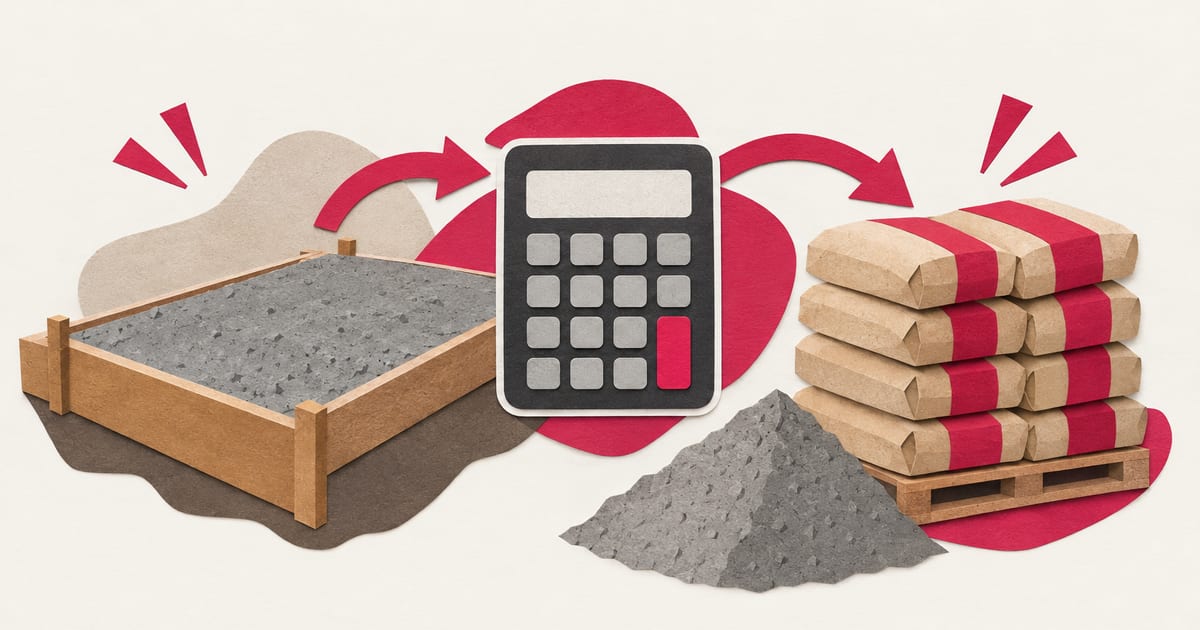
A concrete calculator bag tool answers a narrow question: how many bags do I need for this pour? It is not a general concrete calculator with a bag button bolted on. It takes your volume, the yield printed on the bag, and a waste allowance, then turns cubic feet or cubic metres into a bag count you can actually buy. That sounds simple. The mistakes usually come from the inputs, not the arithmetic.
What a Concrete Calculator Bag Tool Actually Does
A bag-count calculator is a volume converter with a practical filter. You give it the shape and depth of the pour, it works out the volume, then divides by the yield per bag. Some tools ask for the yield directly. Others offer presets for common bag sizes, which is convenient but only safe if the preset matches the bag you are holding.
The useful output is not just the number of bags. A good tool shows the volume, the waste allowance, and the rounded-up count. It may also show the equivalent in cubic yards or cubic metres so you can sanity-check against a ready-mix quote. If you are comparing bagged mix with a truck, keep the units straight; a bag count is a purchasing number, not a structural specification.
A calculator that asks for bag yield is more honest than one that hides a default. If the tool only offers bag sizes and no yield field, treat its answer as a starting point and check the label. For a repair, the bag count is the whole purchase plan; for a slab, it is one line in a larger material list.
When bag counting makes sense
Bagged concrete is sensible for fence posts, mailbox posts, small pads, steps, and repairs where a truck cannot justify the minimum load or the access. It is a poor fit for a driveway, a large garage slab, or anything where you would need dozens of bags and a long mixing session. For a larger flat pour, use a concrete slab calculator to get the volume first, then decide whether bags or ready-mix is realistic. If you are adjusting the mix itself, a concrete mixture calculator is the better tool.
How to Use a Concrete Calculator Bag Without Guessing
The sequence matters more than the calculator brand. Work through these steps in order.
- Measure the actual pour. For a slab, use length, width, and thickness. For a post hole, use diameter and depth. Do not use the bag's 'covers' claim as a substitute for volume unless the shape matches the claim exactly.
- Convert everything to one unit. Inches to feet, centimetres to metres, whatever the tool expects. A 4-inch slab is 0.333 feet, not 4 feet. Unit slips are the most common source of a wildly wrong bag count.
- Calculate volume. Rectangular slab: length × width × thickness. Cylindrical post hole: π × radius² × depth. If the calculator does this for you, still note the volume it reports so you can check it.
- Enter the bag yield from the bag. This is the volume one bag makes when mixed. Do not assume every 50-pound or 80-pound bag is identical across brands and mix types. Read the label or the technical data sheet.
- Add a waste allowance. Five to ten percent is a reasonable starting range for small jobs, depending on how lumpy the ground is and how much mix you lose during mixing. Add more for rough subgrade or a first attempt with an unfamiliar mix.
- Round up to whole bags. Concrete is not sold in fractions of a bag in normal retail settings. Round up, then buy one spare for a small job if storage allows. Running short mid-pour is worse than storing an extra bag.
A worked example
Suppose you are pouring a small pad 4 feet by 8 feet at 4 inches thick. The volume is 4 × 8 × 0.333 = 10.67 cubic feet. Now suppose the bag label says 0.6 cubic feet per bag — a hypothetical yield for this example, not a universal figure. Divide 10.67 by 0.6 and you get 17.8 bags. Add 10 percent waste: 19.6 bags. Round up: 20 bags. If your bag label says a different yield, redo the division with that number. The arithmetic is the same; the input is what changes.
Common Mistakes That Throw Off the Bag Count
The calculator is rarely the problem. These inputs are.
- Using square footage as volume. A 10 × 10 slab at 4 inches is not 100 cubic feet. It is 100 × 0.333 = 33.3 cubic feet. Depth is not optional.
- Mixing units inside one calculation. Feet with inches, metres with centimetres, or a thickness in inches entered as feet will all produce a number that looks plausible and is wrong.
- Trusting a bag-size preset blindly. A preset for an 80-pound bag is only useful if your 80-pound bag has that yield. Check the label.
- Forgetting waste and spillage. A clean calculation is a theoretical minimum. Real mixing loses material to the bucket, the wheelbarrow, and the ground.
- Rounding down. Always round up. A partial bag does not exist at the checkout.
- Using a bag count for a large pour. If the count climbs into the dozens, the labor and mixing time may outweigh the savings. Price the alternatives with a concrete slab cost calculator before committing.
If you are pricing the whole job, keep the bag count separate from the prep and finishing costs. A concrete costs calculator can help you frame the total, but the bag count itself should come from volume and yield, not from a price target.
When to Switch Away From Bag Counting
Bag counting stops being practical when the pour gets big, when you need consistent strength across a large area, or when the mixing time would stretch beyond what you can place before the first batch starts setting. A ready-mix truck has a minimum load and access requirements, so it is not automatically cheaper. The decision is part volume, part access, part labor.
For anything slab-like, get the volume right first, then compare bag count, ready-mix, and labor. If the numbers are close, favor the method you can place and finish without a cold joint. A bag count is a purchasing tool, not a placement plan.
A concrete calculator bag estimate is only as good as the yield, depth, and waste allowance you feed it. Write those three numbers down before you buy, round up, and keep the bag label with the receipt. That short record will save you the second trip.
FAQ
How many bags of concrete do I need for a 10x10 slab?
You need the thickness and the bag yield before anyone can answer that. A 10x10 slab at 4 inches is about 33.3 cubic feet; at 6 inches it is 50 cubic feet. Divide by the yield on your bag, add waste, and round up. A concrete calculator bag estimate will do the division, but the depth and label are yours to check.
Do concrete calculator bag estimates include waste?
Only if you tell them to. Many tools have a waste field or a preset percentage; if yours does not, add 5–10% yourself. Rough ground, uneven subgrade, and small batches tend to waste more. The calculator gives a theoretical volume-based count, not a guarantee against spillage, overmixing, or a hole that is deeper than you measured.
Can I use a bag count calculator for fence posts?
Yes, but switch to a cylindrical volume formula. Measure the hole diameter and depth, use the post's buried volume as a deduction if the tool allows it, and enter the bag yield. Post holes are irregular, so a little extra waste is sensible. For a line of posts, calculate one hole, multiply, then add spare bags rather than rounding each hole separately.
Why does my bag count differ from the calculator?
The usual culprits are bag yield, unit conversion, and depth. A different brand or mix can have a different yield per bag. If you entered thickness in inches but the tool expected feet, the count will be far off. Check the volume the tool reports against your own calculation, then compare the bag label. Rounding and waste settings explain the rest.